
娃娃秀
| 发表时间:2008-05-08 00:42:07 | 评论:2 |

妈妈飞一个。

宝宝也飞一个。

有冰淇淋吃耶,真是太开心了。(问题是,吃完冰淇淋后肚子就疼了。呜呜~~)

好看么,我的小辫子?妈妈给系的呢。

我坏坏的笑。我坏坏的笑。

有见过熊猫爬树吗?爸爸妈妈也是第一次看见呢。

我们都着急的等着看它怎么下来。结果,人家在树上睡着了。太让人着急了。

你看,你看!我也会爬树呢。
Photos from OpenSolaris Installfest Event
| 发表时间:2008-05-07 15:39:19 | 评论:1 |
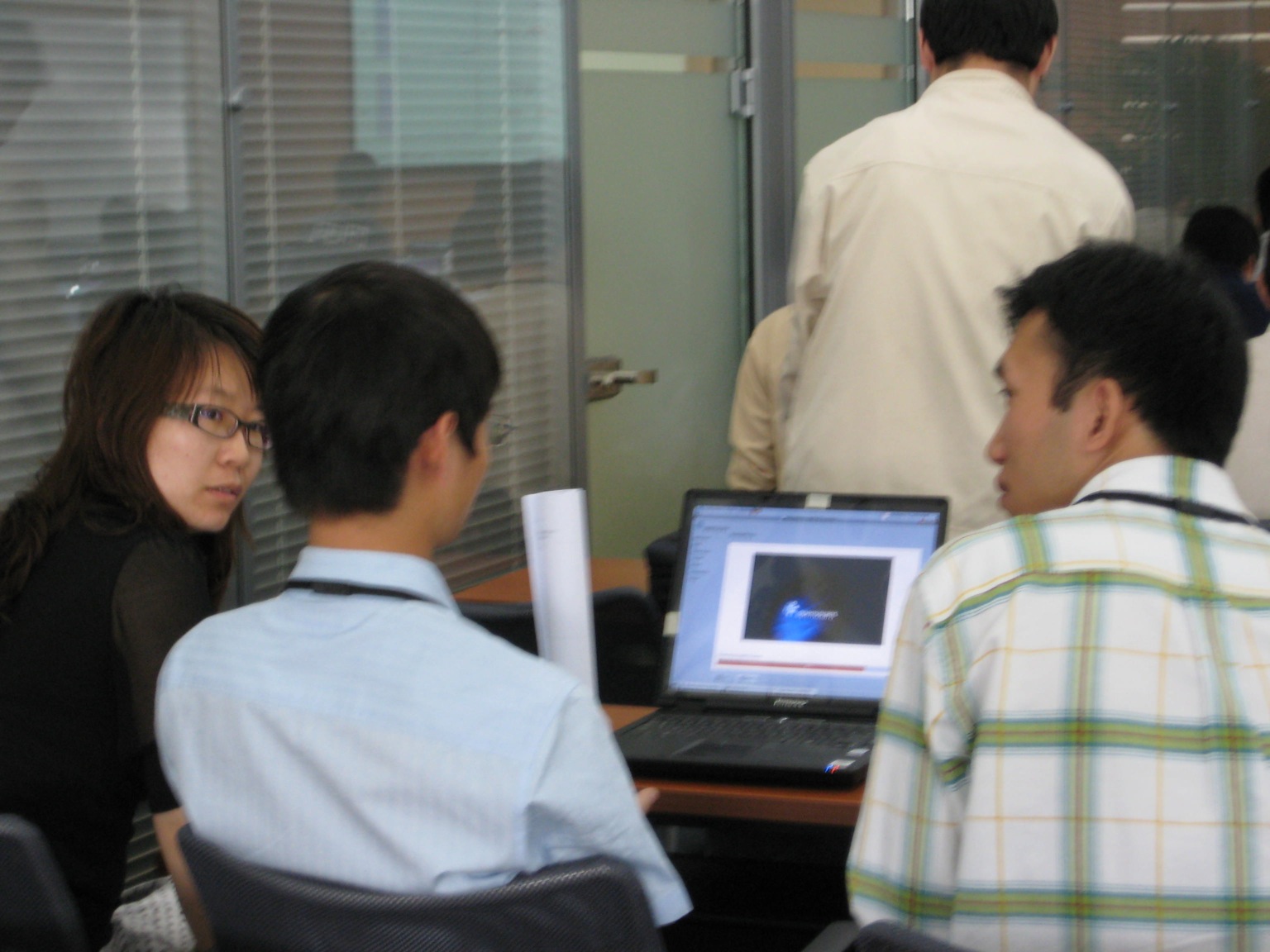
We provided 45 laptops for this installfest event. But this is not enough, so some of the attendees had to share a laptop. The laptops we used were Lenovo E680-A, which was sold only in China. It took about 45 minutes to install OpenSolaris 2008.05 from the LiveCD onto the hard drive.
我们为这次初体验活动提供了45台笔记本电脑。当人数比较多的时候,笔记本电脑竟然不够用了,所以有一些参与者需要共用一台笔记本电脑。我们采用的笔记本是联想昭扬E680-A,似乎只在中国有卖。在这个型号的笔记本电脑上,从LiveCD上将2008.05安装到硬盘上需要45分钟左右。
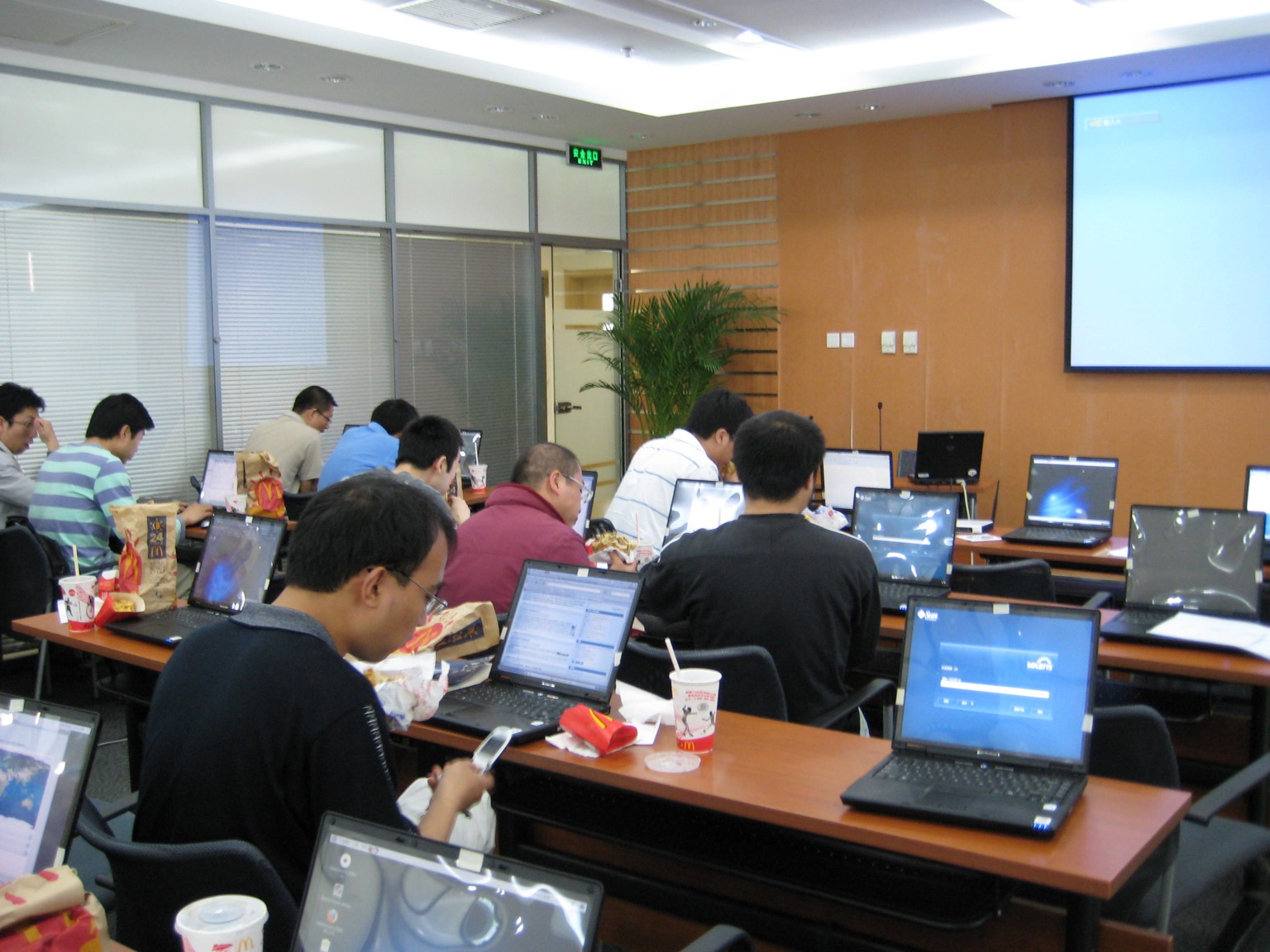
A near view. When planed for this event, we expected that the average time an attendee would spend on the installfest will be about 2 hours. So, we did not plan for providing them lunch. That was too bad. :-(
However, when seeing that most of the attendee spend more than 4 hours on the event, I decided to call McDonalds for delivery. So, at noon every attendee got a lunch box from McDonalds.
近景。当我们策划这次活动的时候,我们以为每位参与者平均在场的时间大概在2 个小时左右。因此,我们并没有计划为参与者提供午餐。这后来被证明是一个错误的决定。
不过,当看到大部分的参与者在场的时间超过4 个小时的时候,我决定立即打电话给麦当劳让他们送餐。因此,中午的时候每一位参与者都得到了一份麦当劳的快餐。
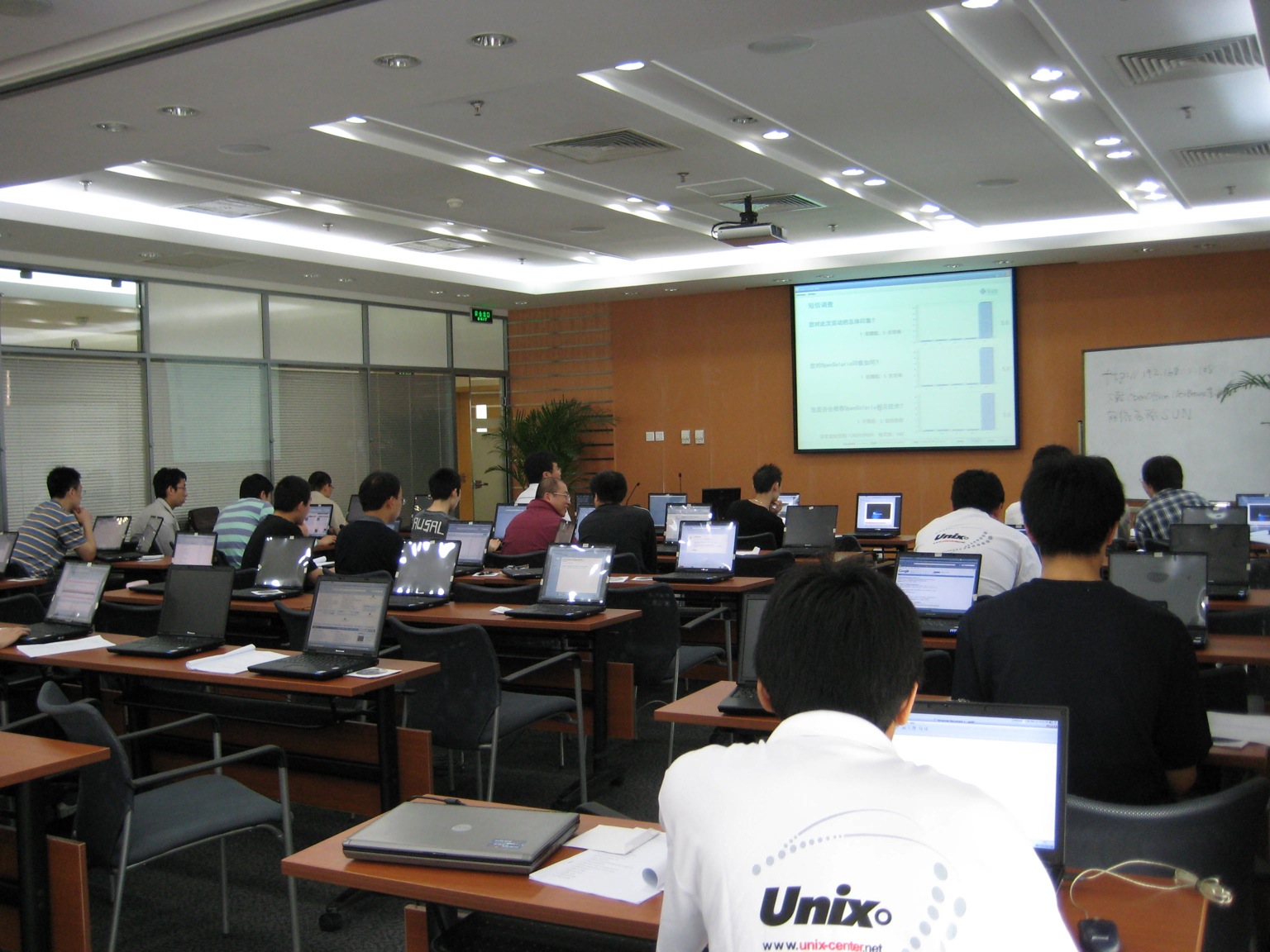
This picture was taken at about 10:00 AM, when the installfest event got started. There were about 20 people in the room at that time. The boy sitting with the big "Unix" on his T-Shirt was an intern from Sun doing onsite support. The T-Shirt he was wearing had the URL www.unix-center.net on it. Well, we call it a Unix-Center.Net T-Shirt.
这张照片是在上午10点左右拍的,那时侯活动才刚刚开始,屋里大概有20个人的样子。坐在后面的男孩的T-Shirt背后印着大大的Unix字样,他是在现场提供支持的Sun 实习生。他所穿的T-Shirt上还有www.unix-center.net这个URL -- 这就是Unix-Center.Net的站衫。
OpenSolaris 2008.05 in Retrospect
| 发表时间:2008-05-07 14:37:27 | 评论:4 |
We obtained the ISO image of OpenSolaris 2008.05 a week ago, and made arrangements for CD production immediately. Because I was so consumed by other assignments, by the time we launched the OpenSolaris Installfest on Tuesday, I had only less than one day’s experience with this new release. So, it is fair to say that I am a new comer to OpenSolaris 2008.05, as well as others. In this blog I would like to share some of my thoughts about OpenSolaris 2008.05. It should be bear in mind that although I work for Sun, these opinions are strictly mine and do not represent those of Sun as a company.
It is so cool to have a one-CD installation disk, very cool! Previously, Solaris 10, as well as SXDE, needs one DVD. When you install, you don’t have a lot of choices, the installation procedure usually installs that whole thing for you. As we all know, different people have different needs, and that represents a problem – after the system installs, we end up with too many things in our operating system that we don’t need, that compete for our disk space, processor, and memory. Furthermore, the traditional installation procedure in Solaris was so annoying, which made it very difficult for a non-professional user to carry out a successful install. I have tried to install Solaris 8 for x86 in 2001, and felt that it was more difficult than installing RedHat 6.0. When Solaris 10 released, the installation procedure was basically the same as the one in Solaris 8, with no improvements. In June 2005, Sun announced the OpenSolaris project, and we started the promotion of Solaris in universities. The problem was, we were unable to install Solaris onto most of the computers in a university computer lab due to its high-end requirements and complex installation procedure! At that time there was no project Indiana yet, but I knew clearly that Sun needs a one-CD version of OpenSolaris. The target audiences of this version are students and developers – that’s, desktop users. The objective of this version is not to compete for the desktop market with Windows, rather, to attract students to study programming on OpenSolaris, amateurs to setup FTP service and websites with OpenSolaris, and developers to develop on OpenSolaris. And, all these require that OpenSolaris is easy enough to install.
OpenSolaris 2008.05 distributes in the form of a LiveCD. When the systems boots from CD-ROM, the user is presented with a full-function operating system. Now the user clearly sees clearly what hardware is supported and what is not. Within this working operating system the user can run the installation program, and install OpenSolaris onto his/her hard drive while using it. This is not a whole new way to install an operating system. Many versions of Linux have been doing this for a while. But, it is a big step for OpenSolaris. From user experience’s point of view, the installation procedure of 2008.05 is far from perfect. However, it significantly reduces the number of steps to install, and we must admit that it has reached the objective of of project Indiana. There were a couple of people whose WIFI chipsets were not supported by SXDE. During the installfest they booted the LiveCD, found that there WIFI is now supported, and decided to install 2008.05 onto their own machine right away.
There are two techniques that can be employed to convert one DVD to one CD: compression, and tailoring. The compressed content needs to be uncompressed during installation, so compression means slowing down the installation speed. Tailoring means some of the software – either driver of application – that existed previously need to be removed. It is a complex technical and political issue when deciding which component should be tailored away (or to be reserved) from the huge Solaris operating system. More importantly, when some of the drivers or applications are tailed away, the longly neglected dependency problem becomes serious. A developer with 2-3 years of experience with Linux should know this: when I want to install a piece of software A, it needs software B, and B needs C and D, and both C and D need E. The problem comes when C needs version 1.01 of E, and D needs version 1.05 of E, and these two version of E are not compatible with each other. At about year 2006, residents in the Linux world had basically solved the problem (not yet perfect, but working to some extent), while residents in the Solaris world were still thinking.
At the beginning of year 2007, a guy call Ian Murdock joined Sun. As the founder of the Debian Linux, Ian was CTO of the Linux Foundation before joining Sun. Under Ian’s advocacy, the OpenSolaris community started project Indiana (Indiana is a state of the US, while Ian is a resident of the state of Indiana), and IPS is an important part of this project. Similar to apt-get, IPS sorts out the dependency relationship between packages in the Solaris operating system, and publishes them to repositories that are connected to the Internet. When a users installs a base system, he/she can download and install the additional software packages from the repositories, and IPS resolves the dependency problems automatically. For instance, when I ask IPS to install NetBeans and my base system does not have JDK installed yet, IPS will also automatically download and install JDK for me. Again, IPS is not an innovation of Sun, similar approaches have been used in other operating systems a while ago. However, it is another great step towards the right direction for Solaris. Similarly, IPS is not the idea of Ian Murdock alone, similar thoughts have existed in Solaris engineering and the OpenSolaris community for a while. But, it is indisputable that this could not have been accomplished at such a speed without Ian’s advocacy and championship.
Compression, tailoring, IPS, plus the new installation procedure, that is the OpenSolaris 2008.05 we see today. Boot from the LiveCD, install the base system, then download and install additional applications from the Internet. In an era when bandwidth is becoming cheaper than DVD, this is with no doubt a direction that deserves more research. However, for countries and regions with relatively poor network conditions, this constitutes new challenges. For example, China has but very limited bandwidth between the vast country and other parts of the world, and it is even worse that professors and students reside in the academic network (AKA CERNET) need to pay for each and every bit of their international traffic (domestic traffic is basically free). Currently OpenSolaris only has one official repository that is deployed in the US (pkg.opensolaris.org). If I need to install OpenOffice, I need to download from the US. If I need to install NetBeans, again I need to download from the US. This problem can certainly be solved by setting up mirrors in China, and we are in the process to set this up. But, is this the only way to solve the problem?
We think about the DVD again – if we put the content of the LiveCD onto one DVD, then we have an additional space of about 1.5 GB. Then, can we fully utilize this additional space, setup a repository and put some frequently used applications in this repository? During the installation of the operating system, we are still installing the base system. After the base system is installed, a user can login to the base system, and install additional applications from the repository on the DVD. Again, this has been done in the Linux world, and in OpenSolaris we should be able to do the same. So, I believe that for the next release of OpenSolaris, there will be two ISO’s that can be downloaded – one is the LiveCD as we have today, the other is a DVD with the base system and a repository. With no doubt that those repositories on the Internet, domestic or abroad, need to provide more and up-to-date software packages as usual.
This is so similar to Linux, you might wonder. Yes we are learning from our friends in the Linux world. It is not shameful to admit our shortcomings and learn from others. Rather, it is shameful to cover our shortcomings and disparage the good things of our friends. Solaris operating system has its unique advantages (like stability, reliability, and security), but, if it is very difficult to install and very difficult to use, it can not attract and keep our users. 20 years ago, there were less than 50 universities in China that had a computer science department, while this number exceeds 800 in 2008. In other words, the huge demand for informatization from the society is continuously lowering the bar to enter the IT industry, and related technologies need to lower the bar for entry accordingly. Take programming languages for example, from assembly to C, from C++ to Java, is exactly a process that continuously lowering the bar. Another example is programming tools, from edline to Turbo C, from QBasic to Visual Basic, exactly the same. This trend also applies to operating systems. 20 years ago only graduates from a CS department had the opportunity to work on a real computer. Today, a student studying architecture needs to do CAD on a computer, and a student studying mechanics needs to do finite element analysis on a computer, and a grade-3 student in the primary school has an IM account. Today there are so many operating systems to choose from – Windows, Mac, and Linux, who are continuously improving their user experience. The objective of the Solaris operating system, is unlikely to be a popular desktop in the short term. However, if we are not able to attract developers today, there will be no deployment on our platform tomorrow.
We are not there yet. OpenSolaris 2008.05 is only an experiment, which stands for the future direction of the Solaris operating system (can we call this Solaris Next?). As the first official release, it is still in a very “primitive” state, with a lot of problems to solve. But, we are continuously trying. More importantly, we are not alone now. OpenSolaris is a community, and Sun is part of this community.
From Solaris to OpenSolaris, what does Sun learn during this process? If I were to pick one sentence I would like to pick this one: listen to the voice of our users, admit the variety of our users, and give choices to our users.
In short: keep pace, or diminish.
2008.05.07, midnight, on flight CA 985
回顾:OpenSolaris 2008.05
| 发表时间:2008-05-07 14:35:48 | 评论:7 |
一个星期前拿到OpenSolaris 2008.05的ISO,马上安排批量刻盘的工作。由于还有其他的事情要忙,到星期二举办OpenSolaris初体验活动的时候,仅仅用过一天不到的时间。所以说我是在跟大家一起学习。说一说我个人的想法吧。虽然本人在Sun 公司工作,本文仅代表个人意见,不代表Sun 公司的观点。
一张CD的安装盘很酷,真的很酷。之前的Solaris 10操作系统,还有前段时间发布的SXDE,都是一张DVD。安装的时候没有太多选择组件的余地,一古脑就全都给你装上去了。我们知道,人的需求是不一样的,所以这样就造成了一个很大的问题 --安装结束之后我的系统里面有太多我不需要的东西,不仅占用了我的磁盘空间,还占用了我的处理器和内存。此外,Solaris传统的安装方法过于烦琐,一个非专业的用户,不经过一番周折是很难把Solaris安装起来的。我在2001年的时候安装过Solaris 8 for x86,当时就觉得比RedHat 6.0要麻烦得多。然而,在Solaris 10发布的时候安装程序还是跟Solaris 8一模一样,没有任何改进。2005年6 月OpenSolaris项目发布之后,我们在学校里面推广Solaris操作系统,很多学校机房都安装不上Solaris,主要的原因就是 Solaris对系统资源的要求太高了,系统安装太麻烦了。那个时候Indiana项目还没有出来,但是我非常清楚地知道Sun 公司需要一个一张CD版本的OpenSolaris发行版,这个发行版的目标群体是学生和开发人员,也就是桌面用户。这个发行版的目的不是与 Windows竞争桌面市场,而是吸引学生来学习OpenSolaris上的程序设计,吸引业余爱好者用OpenSolaris开设FTP或者是搭建网站,吸引开发人员在OpenSolaris上开发应用 -- 而所有这些都要求OpenSolaris要足够容易安装。
OpenSolaris 2008.05以LiveCD的形式发布,系统从光盘启动之后进入一个完整的操作系统。在这个功能齐全的操作系统内,本机上的硬件是否被支持也就一目了然。在这个操作系统上运行安装程序,即可一边使用计算机一边将其安装到硬盘上。这并不是一个新的安装方式,很多版本的Linux早就这样做了,但是对于Sun 来说,仍然是一个不小的进步。从用户体验的角度来考虑,2008.05版本的安装程序说不上完美,但是大幅度减少了完成安装所需要的步骤,可以说是初步达到了Indiana项目所预定的目标。有几位参加星期二OpenSolaris初体验活动的开发人员,之前一直为SXDE不能够驱动他们的无线网卡而烦恼。在OpenSolaris初体验活动现场,LiveCD启动起来之后正确地找到并驱动了他们的无线网卡,因此他们决定马上安装这个新的版本。
将一张DVD变成一张CD,通常需要采取两个措施,一个是压缩,一个是裁减。由于在安装的时候需要对压缩过的内容进行解压缩,所以压缩意味着降低安装速度。裁减则意味着原来在Solaris中存在的某些软件 -- 或者是驱动,或者是应用 --要被去除。在庞大的Solaris操作系统当中,哪些驱动或者是应用应该被剔除或者是被保留,是一个复杂的技术和政治问题。更重要的是,当某些系统中原有的驱动或者是应用需要被剔除的时候,之前一直被忽视的软件依赖性问题凸现了出来。用过两三年Linux操作系统的人可能都听说过这个故事:当我需要安装软件 A 的时候,它要求我先安装软件B ,而软件B 又要求我先安装软件C 和D ,而软件C 和D 又都需要一个叫做E 的软件 -- 问题是:软件C 要求的是1.01版本的软件E ,而软件D 要求的是1.05版本的软件E,而这两个版本并不相互兼容。在2006年前后,Linux世界的居民已经基本解决了这个问题(尚不完美,但是看来可用),但是Solaris世界的居民还处于思考阶段。
2007年初,一位叫做Ian Murdock的人加入了Sun 公司 -- 作为Debian Linux的创始人,Ian Murdock在加入Sun 公司之前是Linux基金会的首席技术长官。在Ian Murdock的极力推动下,Sun 公司开始了Indiana项目(Indiana是美国的一个州,也是Ian Murdock居住的地方),IPS是这个项目中的重头戏。和apt-get类似,IPS重新梳理了Solaris操作系统中所有软件包的依赖关系,将其发布到连接在互联网上的软件仓库。用户安装了一个基本系统之后,就可以从网络下载安装所需要的软件包,而IPS则自动解决安装过程中所涉及的依赖关系。譬如说,当我让IPS安装NetBeans的时候,假如我的系统上没有JDK,那么IPS就会自动的给你安装最新版本的JDK。IPS不是Sun 公司的创新,因为在其他的操作系统中早就存在类似的实现,但是对于Solaris操作系统来说,确实是一个很大的进步。同样,IPS不是Ian Murdock的新主意,Solaris工程部门的同事可能会争辩说他们早就有了这样的想法。不过,是Ian Murdock极力游说并促成了这样一件美事,这一点应该是无可辩驳的。
压缩,裁减,IPS,再加上新的安装程序,就是我们今天所看见的OpenSolaris 2008.05。用户从光盘启动,安装一个基本系统,然后利用IPS从网络下载并安装所需要的额外应用。在一个带宽逐渐比DVD更加便宜的时代,这无疑是一个值得探索的发展方向。然而,在网络条件相对较差的国家和地区,这又构成了新的挑战。以中国为例,整个中国只有非常有限的国际出口,更糟糕的是教育网内部的居民们要为他们的国际流量付费。目前OpenSolaris官方只有一个部署在美国的软件仓库(pkg.opensolaris.org)。假如我要安装OpenOffice,我需要从美国下载;假如我要安装NetBeans,我还是需要从美国下载。这个问题当然可以通过在国内设立镜像来解决,并且我们已经开始着手去做这件事情。但是,设立镜像真的是唯一的解决方法吗?
我们再次想到了DVD -- 如果我们将LiveCD上的内容刻录到一张DVD上,我们就有了1.5 GB甚至是更多的空闲空间。那么,是否可以充分利用这些多余的空间,在这里建立一个软件仓库并将一些常用的应用程序放在这里呢?在系统安装的时候,用户仍然是安装一个基本系统。基本系统安装完成之后,用户可以登陆进入系统,并从DVD上的软件仓库安装额外的应用程序。我们在Linux世界的朋友早已经实现了这个事情,OpenSolaris完全也可以这么做。因此,我相信OpenSolaris的下一个发行版会提供两个ISO可以下载,一个是仅仅包括基本系统的单CD版,另外一个是包括了基本系统和软件仓库的DVD版。当然,部署在网络上的软件仓库 -- 不管是国内还是国外的 -- 还得一如既往地提供更多和更新的软件安装服务。
“简直是太象Linux了。”你也许会这么说。是的,我们正在向Linux世界的朋友学习。承认自己的不足之处,并且学习他人的长处,并不是一件可耻的事情 -- 可耻的是掩盖自己的缺点,并且诋毁他人的优点。Solaris操作系统有着自己的优点,例如稳定性、可靠性和安全性,但是如果它特别难以安装并且不太好用,对于用户来说又有什么吸引力呢?20年以前,全中国设立计算机系的大学不足50所,到2008年这个数字已经超过了800。更直接地说,社会的需求是的整个IT行业的进入门槛不断降低,这就要求相关技术的进入门槛也要相应的降低。计算机编程语言从汇编到C语言、从C++到Java,编程工具从edline到Turbo C、从QBasic到Visual Basic,就是一个不断降低门槛的过程。操作系统也是一样,20年前只有计算机系的毕业生才能够接触到计算机,今天建筑系的学生需要在计算机上做CAD,力学系的学生需要在计算机上做有限元分析,而一个小学三年级的学生也有一个即时通讯账号。现在可供选择的操作系统实在是太多了 -- Windows, Mac, Linux,都在争相改进用户体验。Solaris操作系统的目标,短时间内当然不是成为大众化桌面,但是如果我们不能够吸引今天的开发人员,那么明天就不会有人考虑将应用部署在我们的平台上了。
我们还没有成功。OpenSolaris 2008.05仅仅是一个尝试,它代表了Solaris未来的发展方向(也许可以称为Solaris Next?)。作为第一个正式发行版,2008.05还比较“糙”,还有很多问题需要我们去解决和改进。但是,我们一直在努力。更为重要的是,我们不是独自在努力。OpenSolaris是一个社区,而Sun是这个社区的一分子。
从Solaris到OpenSolaris,Sun 学到了些什么?如果用一句话来总结的话,我打算选择这样一句:倾听用户的声音,承认用户的多样性,给用户更多选择的权利。
说的更简单点:与时俱进,或者消亡。
2008.05.07,深夜,于CA 985航班上
Feedbacks from OpenSolaris Installfest
| 发表时间:2008-05-06 06:17:01 | 评论:1 |
Today in Beijing we organized an installfest event with OpenSolaris 2008.05. The machines we used are Lenovo E680A, which has an intel core-duo 1.73 GHz CPU with 1 GB memory. This was a full-day event -- we provided 45 laptops, which attracted more than 100 people during the whole event. They were instructed to install OpenSolaris 2008.05 from CD, and install some packages via IPS and traditional method. Some engineers and interns from Sun were there to provide onsite. Most of the attendees had but very little experience with Solaris previously, some of them used Linux for various periods before.
Some feedbacks:
(1) Installation was very slow. We used to install SXDE onto the same machine before, which took us less than 45 minutes to finished. Today, most of the folks spent about the same amount of time on installation. We think this is too much to install a CD.
(2) There was some problem with WIFI, don't know exactly why. Some of the machines were getting IP, and most of them were not. It took extremely long for the AP selection dialog to popup after the system booted. There were several Mac and Windows machines in the same room and worked just fine during the whole day. "wificonfig -i wpi0 scan" return the correct information, but "wificonfig -i wpi0 connect AP_Name" would failed. At first we suspected that this was because the name of the AP was Chinese, but when we changed the name of the AP to English we encountered the same error.
(3) A majority of the people complained that OpenSolaris could not mount their USB drive correctly. Well, we did see some success, but a lot of failures at the same time.
(4) Compiz totally failed due to the fact that we are using integrated graphic cards. The problem is, when Compiz failed it is very difficult to turn it back to non-3D desktop. We knew how to do the trick via Alt+N key combinations, but sometimes the system was not able to response to this trick.
(5) Many people would like the shutdown button to be placed at a more visible location.
(6) When connected to the networked, there was a network icon on the task bar, and it is annoying that you can't change anything via clicking on that icon. Since NWAM was not yet smart enough (to pick up the AP's in a timely manner) during the show and so new to the folks, they were very unhappy about this.
(7) For those who have previously installed Solaris 10 or SXDE, they were happy about the installation procedure, and the new UI.
I will try to write more later.
NetBeans用户幸运抽奖活动
| 发表时间:2008-05-05 18:37:33 | 评论:0 |
Sun 中国技术社区于近日开通了位于中国国内的NetBeans下载与更新服务器。我们诚挚邀请您帮助我们对该服务器进行测试,以便我们能够为您提供可靠性的服 务。所有在2008年5 月1 日到2008年6 月30日之间通过此服务器来下载、安装和升级NetBeans的用户,均有机会通过抽奖的方式获得我们赠送的《NetBeans 6.0权威指南》(电子工业出版社于2008年5 月出版)一本。
如果您希望进一步了解有关此次测试抽奖的细则,请您访问如下网页:
http://developers.sun.com.cn/events/luckydraw
OpenSolaris (2008.05)隆重登场
| 发表时间:2008-05-05 01:38:08 | 评论:0 |
2008年5 月5 日,OpenSolaris社区隆重推出第一个OpenSolaris发行版(2008.05)。为了方便国内的用户学习和使用OpenSolaris,Unix-Center.Net率先推出如下服务:
OpenSolaris国内下载镜像
国内的用户可以从如下地址下载到OpenSolaris 2008.05版本:
http://211.151.94.22/Indiana/OpenSolaris-2008-05.iso
OpenSolaris安装光盘赠送
如果您的网络连接比较慢,您可以从如下地址申请一张免费的安装光盘:
http://www.unix-center.net/bbs/viewthread.php?tid=3912
OpenSolaris初体验教程
本教程由北京大学在读研究生陶震撰写,覆盖OpenSolaris 2008.05版本的下载,安装和使用。在OpenSolaris的安装部分,介绍了在裸机上直接安装、在VMWare/VirtualBox虚拟机上安 装等几种情景。在OpenSolaris的使用部分,介绍了常见软件(OpenOffice,JDK,NetBeans,Apache,MySQL, PHP)的安装,如何快速搭建一个基于WordPress的网站,配置FTP/SSH服务,配置ADSL上网,修改DNS设置,启动3D桌面等等内容。
教程地址:http://www.unix-center.net/opensolaris/getting_started.html
五月六日,北京,OpenSolaris初体验
| 发表时间:2008-04-27 23:59:15 | 评论:0 |
OpenSolaris社区即将于2008年5 月5 日正式发布第一个OpenSolaris发行版。为了让更多的学生和工程人员能够了解OpenSolaris项目,Unix-Center.Net协同 Sun 中国工程研究院将于5 月6 日推出”OpenSolaris初体验“盛会。
时间:2008年5 月6 日,上午09:00到下午18:00
地点:清华科技园创新大厦A座2层,启迪国际会议中心第三会议室
我们会在现场提供50台笔记本电脑,发放OpenSolaris安装盘(CD一张),提供网络环境(连接Internet),动手实验指南,以及工 程师支 持。您可以在当天的任何一个时间前来参加我们的活动(午饭时间也可以,我们中午不休息),亲自体验OpenSolaris的安装、配置和维护,甚至是迅速 搭建一个需要Apache、MySQL和PHP的网站应用。当您遇到问题的时候,只需要在现场寻找穿着Unix-Center.Net站衫的工作人员,他 们会热情地解答您在体验过程当中碰到的各种问题。
如果您有您自己的笔记本电脑,我们鼓励您带上它。参与此活动的人可能会很多,如果您带上您自己的笔记本电脑,可能会让您省去很多等待的时间。我们的 工程师 会指导您如何在您自己的笔记本上安装OpenSolaris -- 您可以选择将其安装到一个独立的硬盘分区上,或者是安装到VirtualBox虚拟机里。
当您结束了您的体验之后,您可以在任何时间离开 -- 当您离开的时候,请不要忘记带走我们送给您的OpenSolaris安装光盘一张,还有Unix-Center.Net站衫一件。
为了让我们更加合理地安排现场工作人员,请您到Unix-Center.Net填写并提交此次活动的报名表。在”邮政编码和留言“一栏请您填写您预计的到达时间。
报名地址:http://www.unix-center.net/bbs/viewthread.php?tid=3823
感谢您对Unix-Center.Net的支持。
饮食杂记 -- 果香糯米鸡
| 发表时间:2008-04-26 05:08:17 | 评论:0 |
材料:
柴鸡一只,糯米二两,松子25克,葡萄干25克,干红枣25克,菠萝1/2只,白葡萄酒100克,食盐适量。
做法:
菠萝削皮去芯,取其中一半榨汁与白葡萄酒混合,另外一半切成一个厘米左右的小丁。柴鸡洗干净,掏空肚膛,将其放入白葡萄酒与菠萝汁的混合物中腌半天左右,腌制结束后将汁水倒出备用。糯米加入汁水适量蒸熟,加入松子、葡萄干、红枣、菠萝块、食盐,加入剩下的汁水,充分搅拌。将搅拌后的混合物塞入肚膛,剩余部分均匀地抹在鸡的表面。用铝箔纸将整只鸡包好,放入烤盘。烤箱设置为200摄氏度,烤90分钟左右。
说明:
白葡萄酒具有淡淡的果香,而绍兴花雕的酒味过于强烈,因此用白葡萄酒味道更佳。
| 更晚内容 | 更早内容 |
云与清风常拥有,
冰雪知音世难求。
击节纵歌相对笑,
案上诗书杯中酒。
2020年12月31日
洛杉矶
最新评论
2026-07-23 11:37:04
qyjohn 评论了 《几句翻译》
2026-07-21 20:11:28
wells 评论了 《几句翻译》
2025-11-15 06:29:51
qyjohn 评论了 《青桔》
2025-11-14 01:55:04
wells 评论了 《青桔》
2025-10-24 18:04:06
Ted Wang 评论了 《关于作者(About Me)》
2025-03-27 08:28:09
Max 评论了 《父亲走了》
2025-03-08 04:13:52
W 评论了 《我不想颂扬普京大帝》
2024-07-22 16:02:03
云思 评论了 《无题》
2024-06-27 10:01:54
yiming 评论了 《致访客(Welcome)》
2024-05-06 08:50:06
qyjohn 评论了 《致访客(Welcome)》
2024-05-03 19:49:00
jimmie 评论了 《致访客(Welcome)》
2024-02-19 03:32:57
林小静 评论了 《埋剑渡》
2024-01-05 03:54:28
路过者 评论了 《2023年度盘点》
2024-01-04 10:22:05
qyjohn 评论了 《致访客(Welcome)》
2024-01-04 08:05:13
qyjohn 评论了 《2023年度盘点》